
QUICK ANSWER
Join mc.mysterria.net with a Minecraft 26.2 Java client, accept the resource pack, select Mysteries in the lobby, and verify with a code from your website profile.
WHAT YOU WILL SEE
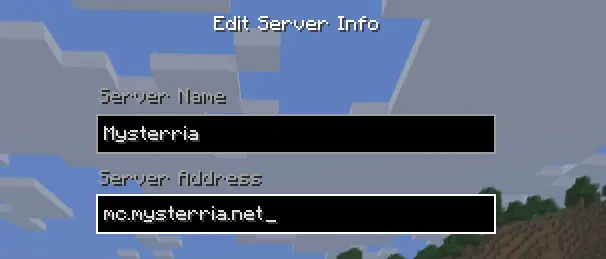
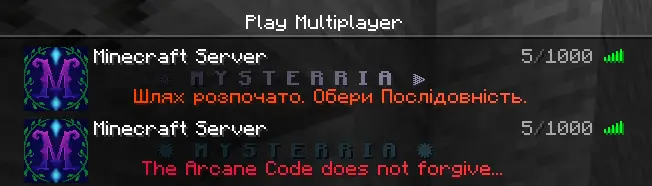
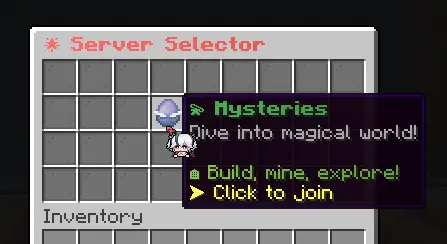
Server details
- The server address is mc.mysterria.net.
- The server runs Minecraft 26.2. Use 26.2 for the best results.
- Java Edition is fully supported, and you do not need any client mods.
- Bedrock can connect through Geyser, but pathway icons and some custom interfaces may render incorrectly.
Connect
- Open Multiplayer, add mc.mysterria.net, and join the server.
- Accept the server resource pack when Minecraft asks.
- In the lobby server selector, choose Mysteries.
- Read what the lobby NPC says before you leave. It helps you find your way around.
COMMON MISTAKE If everything looks like plain vanilla Minecraft, the resource pack was declined or the Java client is too old. Enable server resource packs and update the client.
Account registration
Official premium Minecraft accounts skip registration and log in automatically.
Offline accounts register once with /register <password> <password>, then use /login <password> on future joins.
Discord verification
- Sign in on the Mysterria website and open your profile.
- Generate a Minecraft verification code.
- In game, type /verify and enter the code in the window that opens. You can also type /verify followed by the code.
- Once confirmed, you get a verified chat prefix, a better in-game role, and your Discord roles.
Answers in Help
Still stuck? Ask in Discord or open a ticket.
Ask in Discord(Opens in a new tab)Continue reading
- Starter choiceWhat the initial pathway selection actually changes, and the permanent trade-off between Shortcut and Resolve.
- TroubleshootingFast answers for missing custom UI, verification problems, incompatible clients, and Bedrock limitations.
- World basicsTravel, safety, death, epoch resets, and the rules that differ from conventional survival servers.